Buyer-focused answer
Quick answer for buyers
Steel structure shipment photo record checklist: capture package labels, loading sequence, container condition, small parts, documents, and handover evidence.
Main question
What should EPC buyers check when using the steel structure shipment photo record checklist?
Quick answer
Steel structure shipment photo record checklist: capture package labels, loading sequence, container condition, small parts, documents, and handover evidence.
When to use this page
Use it before packing is closed, before shipment release, or when the site team needs receiving and handover evidence.
What to verify
Create one photo folder per shipment batch; Capture package labels before loading; Record bundle condition and coating protection; Photograph the loading sequence
Related next step
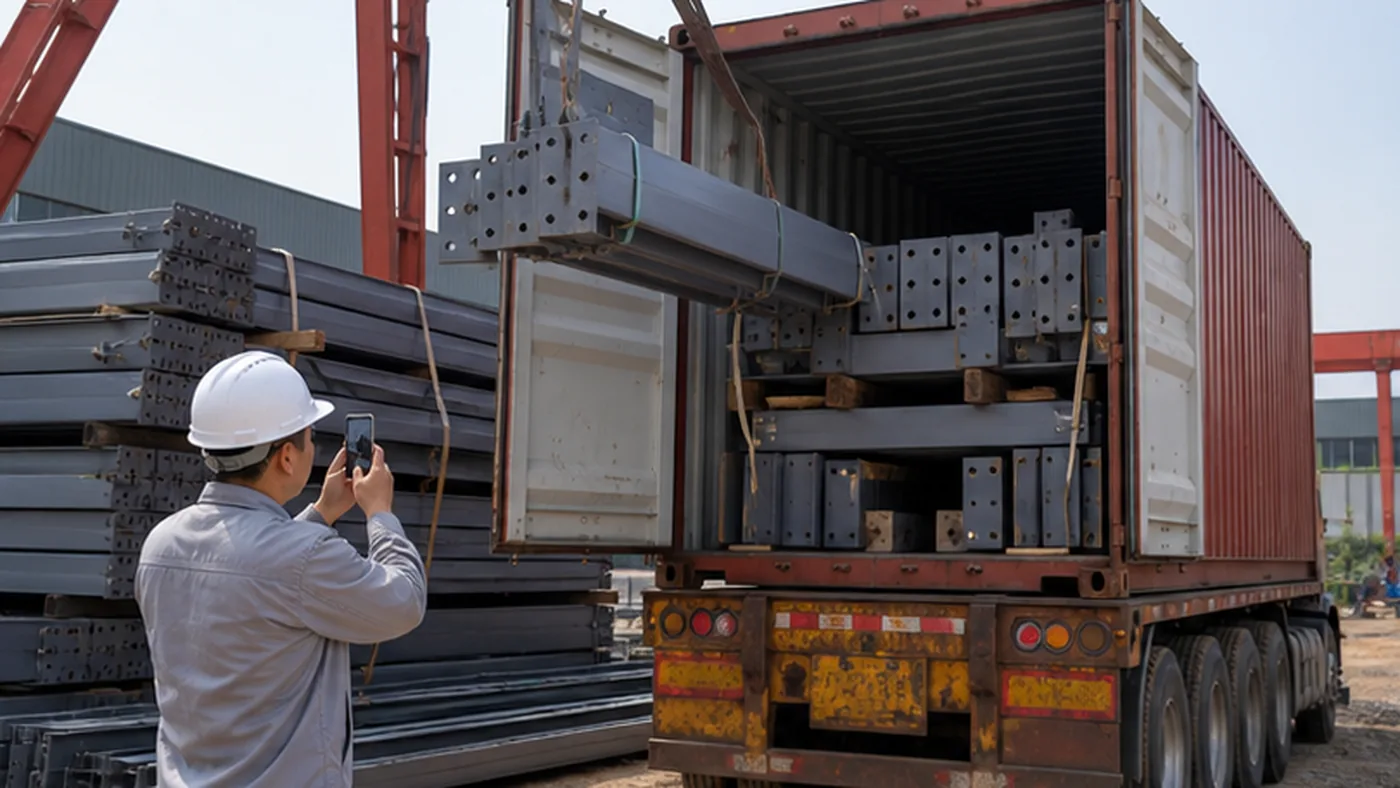
A steel structure shipment photo record checklist helps EPC buyers verify what was shipped before a container, truck, or bulk package leaves the fabrication yard. Good photos are not only proof of loading. They also help the receiving team identify packages, trace missing parts, review coating protection, and resolve disputes after delivery.
This checklist focuses on shipment-stage photo records. It is different from a general delivery photo checklist because it records the exact condition and sequence at the shipping point, before site unloading, storage, or installation can change the package condition.
1. Create one photo folder per shipment batch
Photo records should be grouped by shipment batch, not stored as random phone images. A simple folder structure makes later review much faster for buyers, suppliers, logistics teams, and site receivers.
- Project name and shipment batch number.
- Container number, truck number, or vessel booking reference.
- Package number range and component mark range.
- Loading date, loading location, and responsible inspector.
- Separate subfolders for labels, bundles, small parts, loading sequence, documents, and final seal photos.
For broader shipment evidence planning, use the steel structure delivery photo checklist.
2. Capture package labels before loading
Package label photos are the first evidence to check when a site team reports missing items or mixed bundles. Each label photo should be readable and connected to the packing list.
| Photo subject | What must be visible |
|---|---|
| Main bundle label | Project name, package number, component marks, gross weight, and destination. |
| Component mark | Painted or tagged mark on the actual steel member, not only the outside package label. |
| Small-part box label | Bolt size, grade, quantity, package number, and related erection area. |
| Document pouch label | Packing list, mark list, certificate set, or inspection file reference. |
For label logic, review how steel structure components are marked for site installation.
3. Record bundle condition and coating protection
Before loading starts, take photos that show the condition of steel bundles, coating, galvanizing, edge protection, and package supports. These photos help separate pre-shipment condition from damage that may occur during transport or unloading.
- Overall view of each bundle before lifting.
- Close-up photos of coating, galvanizing, sharp edges, and touch-up areas.
- Timber supports, spacers, straps, corner protection, and waterproof covers where used.
- Exposed threaded parts, anchor bolts, plates, and loose accessories.
- Any known repair area or accepted minor defect before loading.
For pre-shipment package evidence, use the packing photo checklist before shipment.
4. Photograph the loading sequence
Loading sequence photos show how the steel structure components were placed into the container, truck, or shipping frame. These images can explain site sorting difficulty, transport damage, and package accessibility after arrival.
| Stage | Recommended photos |
|---|---|
| Empty container or truck | Interior condition, floor, walls, door frame, and container number before loading. |
| First layer | Bottom support, heavy members, dunnage, and contact points. |
| Middle layers | Bundle order, separation, strap positions, and areas where labels remain visible. |
| Small parts loaded | Box position, securing method, label visibility, and separation from heavy steel members. |
| Final loaded view | Full load condition before door closing, including bracing, blocking, and remaining clearance. |
For container-specific controls, use the container loading checklist.
5. Keep bolt and small-part photos separate
Bolts, nuts, washers, anchor bolts, shims, clips, and other small parts should receive their own photo set. These items often cause site disputes because they are easy to misplace, mix, or count incorrectly after unloading.
- Open box photos before sealing, showing packed contents where practical.
- Closed box label photos showing bolt size, grade, quantity, and package number.
- Grouped photos showing all small-part boxes included in the shipment batch.
- Photos of boxes loaded inside the container or truck.
- Seal or strap photos if small parts are locked in a crate or separate package.
For detailed small-part control, use the bolt and small parts packing checklist.
6. Match photos to shipment documents
Photos are more useful when they can be matched to formal shipment documents. At minimum, photo records should reference the packing list and mark list used for the shipment.
- Packing list number and revision.
- Mark list or component list revision.
- Commercial invoice or delivery note reference where relevant.
- Quality release or inspection record included with the shipment.
- Container number, seal number, truck number, and shipping date.
For document control, review the steel structure shipping documents checklist.
7. Use consistent file names
Photo file names should help the receiving team search evidence without opening hundreds of images. A practical naming rule is more useful than a perfect one that nobody follows.
| File name element | Example |
|---|---|
| Date | 2026-06-21 |
| Shipment batch | Shipment-03 or Container-02 |
| Package number | PKG-014 or Bolt-Box-06 |
| Photo subject | Label, Loading, Small-Parts, Seal, Final-View |
| Sequence number | 001, 002, 003 |
8. Review photo records before shipment release
The shipment should not be released until the photo record is complete enough for a remote buyer or site team to understand what was loaded. A quick review before the truck leaves can prevent days of later clarification.
- All package labels are readable and match the packing list.
- Container or truck number is visible.
- Small-part boxes and bolt packages are photographed separately.
- Loading sequence photos show how heavy members and small parts were arranged.
- Final loaded view and seal photo are included.
- Any exception is recorded in the issue log before release.
If photos reveal an issue before shipment, record it in the site issue log template or a project shipment issue log.
Red flags in shipment photo records
- Photos are taken after loading only, with no pre-loading condition record.
- Package labels are blurred, blocked, or too far from the camera.
- Small-part boxes are not photographed before sealing.
- Container number, seal number, or truck number is missing.
- Photo folders are not linked to the packing list or shipment batch.
- Final loaded condition does not show bracing, blocking, or clearance.
Scope boundary: document loading and custody transfer
This record begins when accepted packages are staged for loading and ends when loading, lashing, sealing, or carrier handover is documented. It proves which packages entered which vehicle or container and in what visible condition. Packing photos and destination photos remain separate records.
- Show vehicle or container identity, package marks, loading sequence, restraints, and final closed condition.
- Keep timestamps and shipment-lot references for later shortage or damage review.
- Do not complete the record when the final load, seal, or carrier acknowledgement is missing.
Buyer note
A shipment photo record does not replace inspection documents, but it gives EPC buyers practical evidence when packages arrive at site. The best photo records are organized by shipment batch, tied to package numbers, and detailed enough for a receiving team to identify what was loaded without asking the factory to search through random images.
Buyer follow-up questions
How should buyers use this page?
Use it as a practical review aid for steel structure shipment photo record checklist. The page helps the buyer confirm what must be checked, what evidence should be requested, and which follow-up actions should be closed before the package moves to the next procurement step.
When should this review happen?
Use it before packing is closed, before shipment release, and when site teams need clear receiving or handover evidence.
What evidence should be kept?
Keep the records that prove the decision, especially component marks, bundle labels, bolt boxes, packing lists, loading photos, shipping documents, receiving records, and closeout notes. Photos, comments, approvals, open issues, and closeout notes should stay linked to the relevant drawing, supplier reply, shipment, or handover record.
How to use this checklist
Check this buyer-side checklist against the contract, approved drawings, owner requirements, engineer instructions, and the current edition of every project-specified standard. See the editorial and source review process.