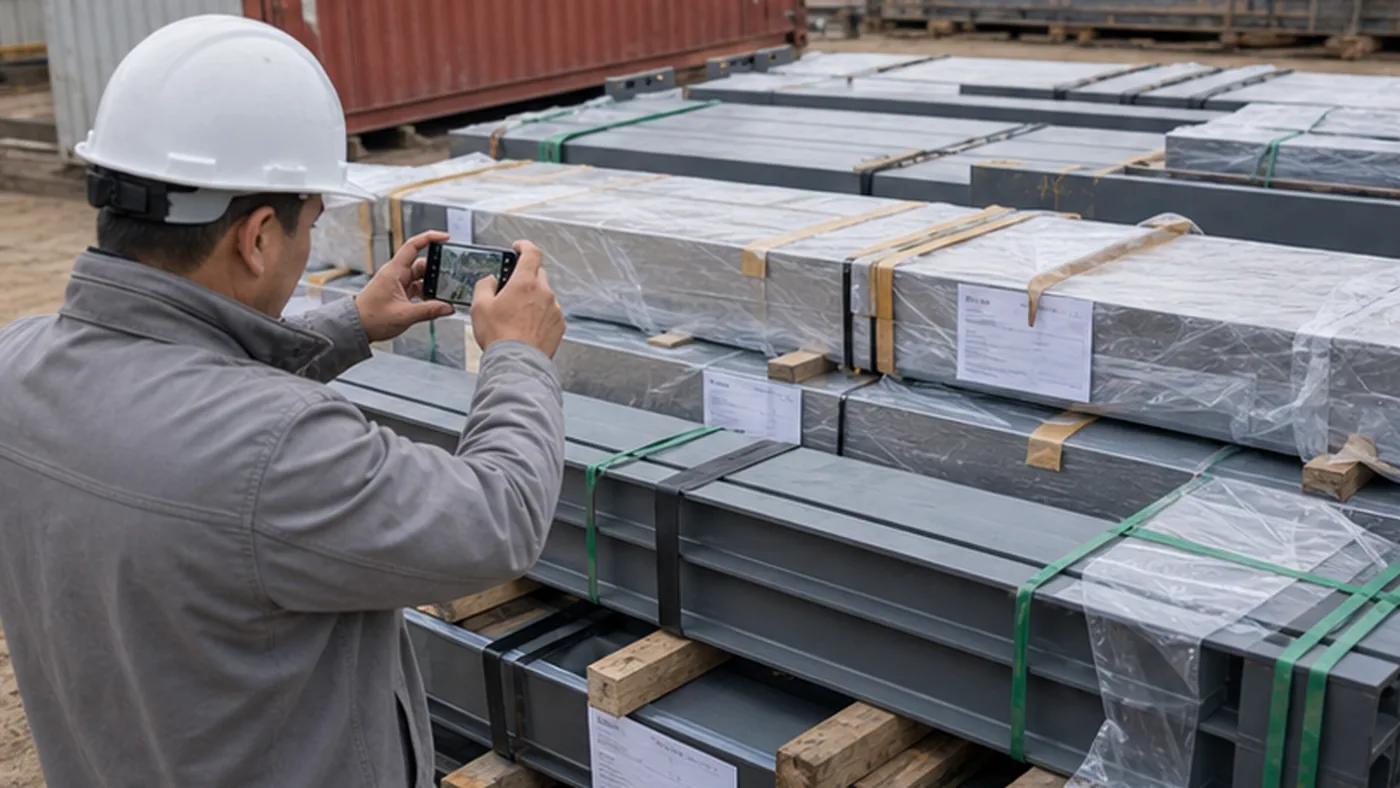
Buyer-focused answer
Quick answer for buyers
Steel structure delivery photo checklist for EPC projects: capture package labels, component marks, loading, unloading, damage evidence, and closeout records.
Main question
What should EPC buyers check when using the steel structure delivery photo checklist for EPC projects?
Quick answer
Steel structure delivery photo checklist for EPC projects: capture package labels, component marks, loading, unloading, damage evidence, and closeout records.
When to use this page
Use it before packing is closed, before shipment release, or when the site team needs receiving and handover evidence.
What to verify
Define the photo purpose before shipment; Capture package and label photos; Take loading photos at the factory or port; Take receiving photos before unloading
Related next step
A steel structure delivery photo checklist for EPC projects helps buyers and site teams keep evidence before, during, and after shipment. Photos are often the fastest way to confirm what was packed, how it was loaded, whether damage existed on arrival, and which issue needs supplier or logistics follow-up.
This checklist is written for EPC buyers, logistics coordinators, factory shipping teams, receiving teams, and site quality inspectors. It focuses on practical photo evidence instead of promotional project photos.
1. Define the photo purpose before shipment
Delivery photos should answer specific project questions. If the team only takes general photos of steel members, the images may not support receiving, shortage reports, damage reports, or installation handover.
- Confirm what was packed and shipped.
- Connect package labels to packing lists and component marks.
- Show coating, galvanizing, or package protection condition before dispatch.
- Record container loading or truck loading sequence.
- Provide evidence for damage, missing parts, or site discrepancy reports.
For package planning, use the export packing checklist before the photo record is prepared.
2. Capture package and label photos
Every delivery photo set should include package identification. Without label photos, it is difficult to connect a damaged item or missing part to a shipment batch.
| Photo type | What it should show |
|---|---|
| Package overview | Bundle, crate, box, or pallet condition before loading or after arrival. |
| Package label | Package number, project name, destination, gross weight, and handling mark. |
| Component mark | Piece mark, drawing reference, grid area, or erection sequence reference. |
| Small-parts box | Bolt box label, accessory list, seal condition, and quantity reference. |
| Document photo | Packing list, mark list, or shipment document page linked to the package. |
For component identification, compare with the component marking guide.
3. Take loading photos at the factory or port
Loading photos help confirm sequence, protection, and package condition before the shipment leaves the supplier or warehouse. They are also useful when the receiving team later reports shifted cargo or damaged packages.
- Empty container or truck condition before loading.
- Package condition before lifting.
- Lifting method, sling position, and handling protection.
- Loading sequence inside the container or truck.
- Blocking, bracing, separation timber, and edge protection.
- Final loaded condition before door closing or dispatch.
For container-specific evidence, use the container loading checklist.
4. Take receiving photos before unloading
Arrival photos should be taken before cargo is moved. Once packages are unloaded, damaged, re-stacked, or sorted, it becomes harder to prove the original delivery condition.
| Timing | Photo evidence to collect |
|---|---|
| Before opening | Container number, seal, door condition, truck plate, or delivery note. |
| After opening | First view of package condition, cargo movement, wet packaging, or visible damage. |
| During unloading | Lifting points, handling method, package labels, and unloading sequence. |
| After unloading | Package count, laydown location, visible damage, and missing label evidence. |
For site receiving controls, use the site receiving checklist and unloading checklist.
5. Record damage and shortage evidence
When damage or shortage is found, photos should connect the issue to a package number, component mark, and report number. A close-up photo alone is usually not enough.
- Wide photo showing where the affected package or component was found.
- Close-up photo of damage, missing part, broken label, or open box.
- Photo of component mark or package label next to the issue.
- Measurement photo using a ruler, tape, caliper, or scale reference.
- Photo of packing list or bolt list showing expected quantity.
- Photo folder name linked to the report number and shipment batch.
If an issue is confirmed, connect photos to the damage report checklist or missing parts report checklist.
6. Organize photo folders by project logic
Photo evidence becomes weak when files are scattered across phones, chat groups, and unnamed folders. EPC teams should set a simple naming system before shipment starts.
| Folder level | Recommended naming method |
|---|---|
| Project | Project code, buyer code, or destination reference. |
| Shipment batch | Batch number, container number, truck number, or dispatch date. |
| Photo category | Packing, loading, arrival, unloading, damage, shortage, or closeout. |
| Issue reference | Damage report number, shortage report number, NCR number, or site discrepancy number. |
7. Keep photo quality usable
Photo evidence should be clear enough for someone outside the site team to understand the issue. Blurry, cropped, or unlabelled photos often fail during supplier follow-up.
- Take one wide photo and one close-up for each important issue.
- Keep labels, marks, and quantities readable.
- Avoid photos that hide scale or context.
- Use consistent orientation where possible.
- Do not overwrite original files after adding comments or markups.
- Keep photo timestamps if they are used for arrival or damage evidence.
8. Close delivery photo records
Photo records should support a final receiving and handover package. The team should not leave useful photos inside private chat threads after project closeout.
- Attach loading photos to the shipment record.
- Attach receiving and unloading photos to the site receiving report.
- Attach issue photos to damage, shortage, or bolt issue reports.
- Attach replacement or repair photos to closeout records.
- Archive the final folder with the installation handover documents.
For final site handover, connect the record to the installation package checklist.
Red flags in delivery photo records
- Photos show steel members but no package labels or component marks.
- Damage photos are taken after unloading, but no arrival condition photos exist.
- Small-parts boxes are opened without photos of labels and contents.
- Photo files are shared only in chat and not saved to the project record.
- Replacement or repair photos are not linked to the original issue report.
- Photos are too blurry to read bolt markings, labels, or dimensions.
Scope boundary: record destination receipt and exceptions
Use this checklist when cargo reaches the project destination. Capture condition before and during unloading, identify shortages or transit damage, and connect each exception to the carrier document and receiving report. Earlier packing or loading images are comparison evidence, not a substitute.
- Photograph seals, vehicle condition, package marks, visible damage, and unloading handover.
- Create an exception record before cargo is dispersed into storage.
- Separate transit observations from later storage or erection damage.
Buyer note
Delivery photos are not decoration. For EPC projects, they are evidence for packing, logistics, receiving, shortage resolution, damage reports, and site handover. A simple photo checklist helps every team capture the same useful evidence before the information is lost.
Buyer follow-up questions
How should buyers use this page?
Use it as a practical review aid for steel structure delivery photo checklist for epc projects. The page helps the buyer confirm what must be checked, what evidence should be requested, and which follow-up actions should be closed before the package moves to the next procurement step.
When should this review happen?
Use it before packing is closed, before shipment release, and when site teams need clear receiving or handover evidence.
What evidence should be kept?
Keep the records that prove the decision, especially component marks, bundle labels, bolt boxes, packing lists, loading photos, shipping documents, receiving records, and closeout notes. Photos, comments, approvals, open issues, and closeout notes should stay linked to the relevant drawing, supplier reply, shipment, or handover record.
How to use this checklist
Check this buyer-side checklist against the contract, approved drawings, owner requirements, engineer instructions, and the current edition of every project-specified standard. See the editorial and source review process.